
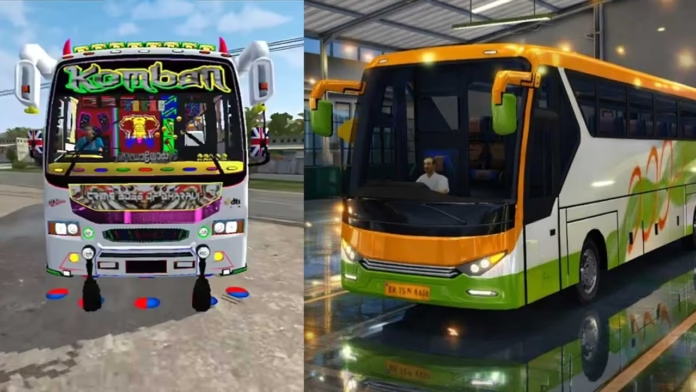
Introduction about Realistic Indian Traffic Simulation Review in Bus Simulator India App
The first time I opened Bus Simulator India, the lack of a guided tutorial was easy to notice. Instead of giving step-by-step instructions, the app places you directly into a live driving environment where you learn by reacting. It may feel a little confusing at first, but it quickly helps you understand the basics in a practical way. Within a few minutes, I started adjusting to the traffic flow and bus handling on my own, which made the experience feel more based on skill than fixed instructions.
Traffic That Refuses to Be Predictable
Unlike many simulators where AI traffic follows fixed patterns, the traffic in this game feels less predictable and closer to real Indian roads. Vehicles do not always stay in proper lanes, and sudden moves can happen at any time. This keeps you alert because you cannot drive passively or repeat the same actions without thinking. From a usability point of view, this makes the game more engaging, as the player stays mentally involved throughout the drive.
Micro-Control Over Macro Actions
Performance in this app is not about speed or rough driving. It depends more on small, steady corrections like light steering, smooth braking, and using acceleration at the right time. After playing for a while, I noticed that smoother control made each route feel cleaner and easier to complete. This level of handling gives the game more long-term value for players who want something deeper than simple casual driving.
Vehicle Physics That Affect Decision-Making
The bus does not feel like a light vehicle. It picks up speed slowly, and every turn needs some planning. During testing, even taking a corner a little too fast caused noticeable drift. This makes players think ahead instead of reacting at the last second. From a gameplay design point of view, it adds a more realistic simulation feel without making the controls difficult.
Precision-Based Stop Mechanics
Stopping at bus points is not just about reaching a checkpoint. Proper alignment matters, and even a small mistake in positioning can make the stop feel less clean. This encourages players to approach each stop carefully instead of rushing in. It also creates a quiet sense of quality-based performance, where smooth and accurate driving matters more than speed.
Functional Sound Design That Supports Gameplay
The horn system is not only there to make the game feel realistic. It also has a useful role during driving. When used at the right time, it can affect nearby vehicles and help create space in tight traffic. This makes the horn feel like an active gameplay tool instead of just a background sound, which is something many mobile simulators do not handle well.
Route Variation That Impacts Strategy
Each route brings small environmental changes that affect the way you drive. Some roads feel smooth and easy to handle, while others need constant steering, braking, and speed control. This variety keeps the gameplay from feeling repetitive and makes longer sessions more engaging for players who spend more time in the app.
Camera Angles as a Performance Tool
Switching between camera views changes how you understand space and movement while driving. The interior view makes you drive more carefully, while the outside views help you judge distance and road position better. I noticed that changing views according to the situation improved overall driving control, making the camera system feel more strategic instead of just visual.
Progression That Requires Adaptation
Unlocking new buses is not only about changing the look of the game. Each bus feels slightly different in handling, braking distance, and turning response. This means every new vehicle takes some time to understand, instead of feeling like a simple upgrade. Because of that, progression stays more engaging and gives players a reason to keep improving.
Performance Experience on Different Devices
During longer use, the app performed smoothly on mid-range devices with only minor frame drops. However, the best experience depends on matching the game settings to your device’s power. Reducing some visual options can make the controls feel more responsive, especially in heavy traffic. This helps the app run better for more users, even on phones that are not very high-end.
Optimization and Practical Usage Insights
For better control and smoother gameplay, it is best to keep a moderate speed and avoid sudden movements. From my testing, steady steering, braking, and acceleration reduced mistakes more than quick aggressive corrections. This is useful for players who want to improve the full driving experience, not just finish routes.
A Simulation That Builds Driving Awareness Over Time
After several sessions, the biggest change is not in the graphics or controls, but in how you start driving. The app slowly teaches you to watch distance, predict movement, and react more carefully. It does not feel like a normal mobile game loop. Instead, it feels like a repeated driving experience that quietly rewards awareness, patience, and better control.
Read this post b: Driving IPL Team Buses in Bus Simulator App


