
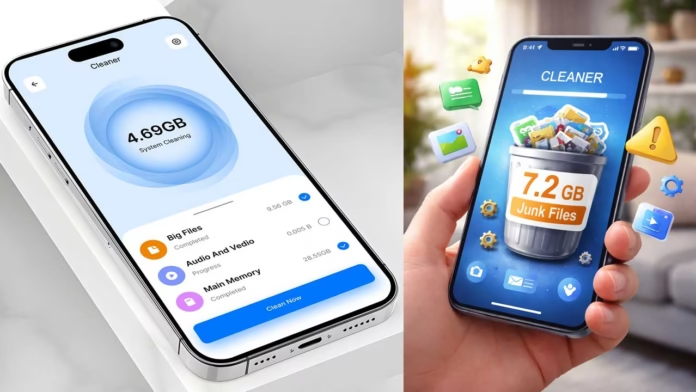
Introduction about Understanding Junk Files and Phone Cleaner App
There is a moment most people notice but rarely discuss—when the phone starts feeling slower. It is not fully broken, but it feels a little heavier than before. Apps take longer to open, storage warnings appear, and you start looking for a quick solution. That is where apps like Phone Cleaner – Junk Files come in, offering fast cleanup. But what actually happens behind the “Clean Now” button is more interesting than the simple marketing promise.
Why These Apps Exist Beyond Just “Freeing Space”
The idea of junk files sounds simple, but modern smartphones do not collect useless data the same way older computers did. Most files labeled as “junk” are usually temporary cache files, leftover data from removed apps, or logs created by background processes. These files are not always dangerous. Some of them actually help apps open faster.
What makes Phone Cleaner apps attractive is not only the promise of freeing storage, but also the feeling of control. Users feel like they are actively taking care of their phone, even when the real speed improvement may be small. This sense of reassurance is one big reason why these apps continue to stay popular.
The Real Mechanism Behind Junk Cleaning
When you tap “clean,” the app usually scans common areas where temporary files are stored. It looks for cached images, leftover installation files, and app-related logs. The process is not deep phone optimization; it is mostly selective deletion of files that the app considers safe to remove.
One thing people often ignore is that aggressive cleaning can sometimes reset how apps behave. For example, clearing cache may force apps to load data again from the beginning, which can use more internet and make them feel slower for a short time. So while you may recover some storage, you might also lose a bit of short-term convenience.
The Hidden Layer: Permissions and Data Access
One often ignored part of apps like Phone Cleaner – Junk Files is the amount of access they may request. To work properly, they often need permission to read storage, check app usage, and sometimes monitor system activity. This does not always mean the app is unsafe, but users should understand what they are allowing.
Many people install these apps quickly when a low storage warning appears, without thinking about how much control they are giving. That moment of urgency can make users accept permissions without checking whether the app truly needs them.
Battery Optimization: Real or Just a Label?
Another common feature is “battery boost.” In most cases, this simply means closing apps running in the background. But modern systems like Android already manage background activity quite well, so force-closing apps again and again may not always help.
In fact, it can sometimes make things worse. When apps are closed repeatedly, they may restart more often and use extra battery in the process. This feature is useful only in certain cases, such as when an app is frozen or behaving badly. As a daily habit, though, it does not always provide the battery improvement these cleaner apps promise.
The Subtle Impact on User Behavior
What makes these apps interesting is how they slowly shape user habits. People begin to connect phone performance with regular cleaning. Even a small slowdown can make them open the app and run another scan.
Over time, this can create unnecessary dependence on optimization tools instead of helping users understand how their phone actually works. Most modern phones already manage storage and memory automatically. Cleaner apps do not replace that built-in system; they simply add manual controls on top of it.
When It Actually Helps
There are times when using a cleaner app can be helpful. If you have installed and removed many apps, or if some apps keep a large amount of cache, such as social media or streaming apps, a cleanup may free up noticeable storage space.
It can also help users who want a clear visual view of their storage instead of going through phone settings. In that way, the app works more like a storage dashboard than a real performance optimizer.
Turning Junk Cleaning into Smart App Usage Insights
One practical way to get more value from apps like Phone Cleaner – Junk Files is to use them as a diagnostic tool, not just a routine cleaner. Instead of pressing “clean” right away, first check which apps are creating the most cache or leftover data.
Over time, you may notice patterns. Some apps quietly take up hundreds of megabytes without you realizing it. This helps you decide whether to reduce usage, change app settings like media auto-download, or replace the app completely. In this way, the cleaner app becomes less about deleting files and more about showing hidden storage behavior you might not normally notice.
A Practical Perspective on Using Phone Cleaner Apps
The value of Phone Cleaner – Junk Files depends more on how you use it than on the features it offers. If you treat it as a one-click fix for every performance problem, it may disappoint you. But if you use it occasionally and understand what it actually removes, it can still be a useful tool.
Phones do not slow down only because of junk files. They can also become slower because of heavier apps, background activity, and software updates. Cleaning storage solves only one part of the problem. Understanding this difference helps you move beyond quick fixes and make better choices for long-term device performance.
Read this post : Driving IPL Team Buses in Bus Simulator App
Transforming Smartphones into Cinematic Tools with a Pro-Level Camera App


